> ## Documentation Index
> Fetch the complete documentation index at: https://docs.customtypeone.com/llms.txt
> Use this file to discover all available pages before exploring further.
# Color Reference Chart
Most displays color code the blood glucose value or the background based on the below color chart. The values listed are the default values, but these can be changed in the Display Options settings.
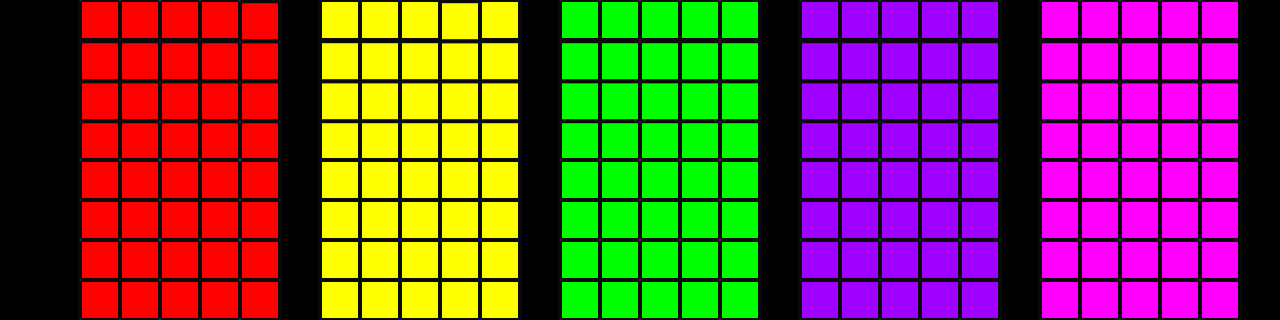 | Red | ≤ 60 mg/dL \| 3.3 mmol/L |
| :------ | :------------------------------------ |
| Yellow | 61 - 70 mg/dL \| 3.4 - 3.8 mmol/L |
| Green | 71 - 180 mg/dL \| 3.9 - 10.0 mmol/L |
| Purple | 181 - 250 mg/dL \| 10.1 - 13.9 mmol/L |
| Magenta | > 250 mg/dL \| 14.0 mmol/L |
If your blood glucose data is outdated by your selected minutes in the Display Options color range selection, the primary display color will be blue.
| Red | ≤ 60 mg/dL \| 3.3 mmol/L |
| :------ | :------------------------------------ |
| Yellow | 61 - 70 mg/dL \| 3.4 - 3.8 mmol/L |
| Green | 71 - 180 mg/dL \| 3.9 - 10.0 mmol/L |
| Purple | 181 - 250 mg/dL \| 10.1 - 13.9 mmol/L |
| Magenta | > 250 mg/dL \| 14.0 mmol/L |
If your blood glucose data is outdated by your selected minutes in the Display Options color range selection, the primary display color will be blue.
