> ## Documentation Index
> Fetch the complete documentation index at: https://docs.customtypeone.com/llms.txt
> Use this file to discover all available pages before exploring further.
# Remote Snooze
SugarPixel includes a **physical snooze button** on the top of the device.
* When an alert is active, pressing the button snoozes that alert for the configured snooze duration.
## **Remote Snooze (App)**
The SugarPixel app also allows you to **snooze alerts remotely** over Bluetooth.
* If an alert is currently active, remote snooze will snooze the alert
* If no alert is active, remote snooze will **pre-snooze** alerts
(useful when traveling or away from SugarPixel)
Remote snooze requires your phone to be **within Bluetooth range** of SugarPixel.
## **Using Remote Snooze**
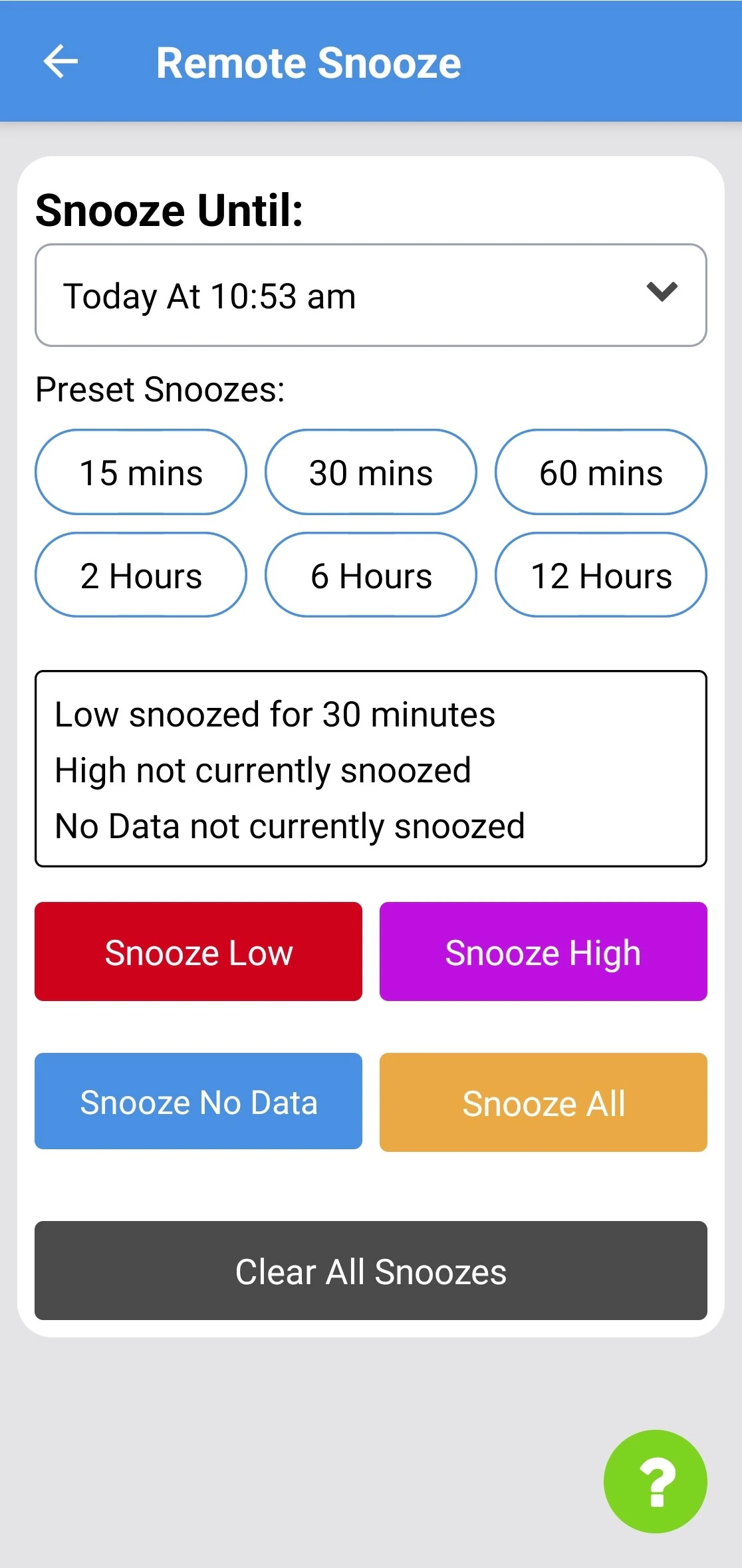
1. Select a snooze duration using one of the following:
* **Snooze Until:** choose a specific date and time
* **Preset Snoozes:** select a common snooze length
2. Tap **Low**, **High**, **No Data**, or **All** to apply the snooze
The screen shows all active snoozes, whether set from the device or the app.
* Tap **Clear All Snoozes** to remove all active snoozes