> ## Documentation Index
> Fetch the complete documentation index at: https://docs.customtypeone.com/llms.txt
> Use this file to discover all available pages before exploring further.
# Time Settings
Many SugarPixel features rely on the current time. Selecting the correct **Time Zone** is critical for alerts, quiet hours, and clock displays to function properly.
***
## **Time Zone**
Select your **local time zone**.
* Clock displays are based on this setting
* Quiet Hours depend on this setting
* Alerts may trigger at the wrong time if the time zone is incorrect
If alerts or quiet hours behave unexpectedly, the time zone is the first thing to verify.
## **Display 24-Hour Time**
When using a display that shows a clock, this option enables **24-hour time**.
## **Quiet Hours**
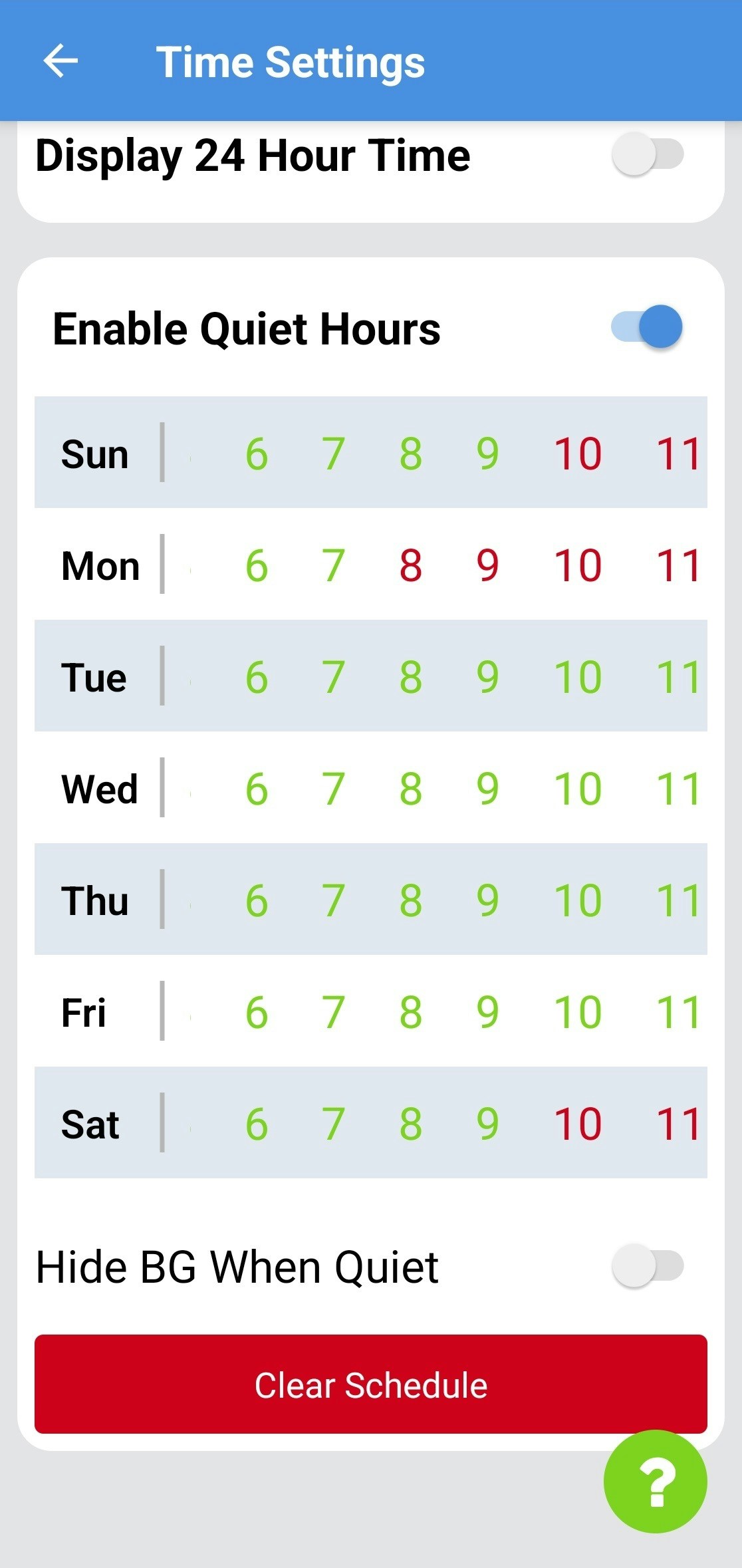
Quiet Hours allow you to define times when SugarPixel **will not alert**.
For example, if Quiet Hours are set from **7 AM to 10 PM**, SugarPixel:
* Will **not** alert during those hours
* **Will** alert from **11:00 PM to 6:59 AM**
## **How Quiet Hours Work**
**General Functionality**
* **Red** = alerts disabled
* **Green** = alerts allowed
* Each hour represents **HH:00–HH:59**
* If hour “10” is red, alerts are disabled from **10:00–10:59**
* Tap an hour to toggle it on or off
* Drag left or right to view all 24 hours
 **Copy / Paste Days**
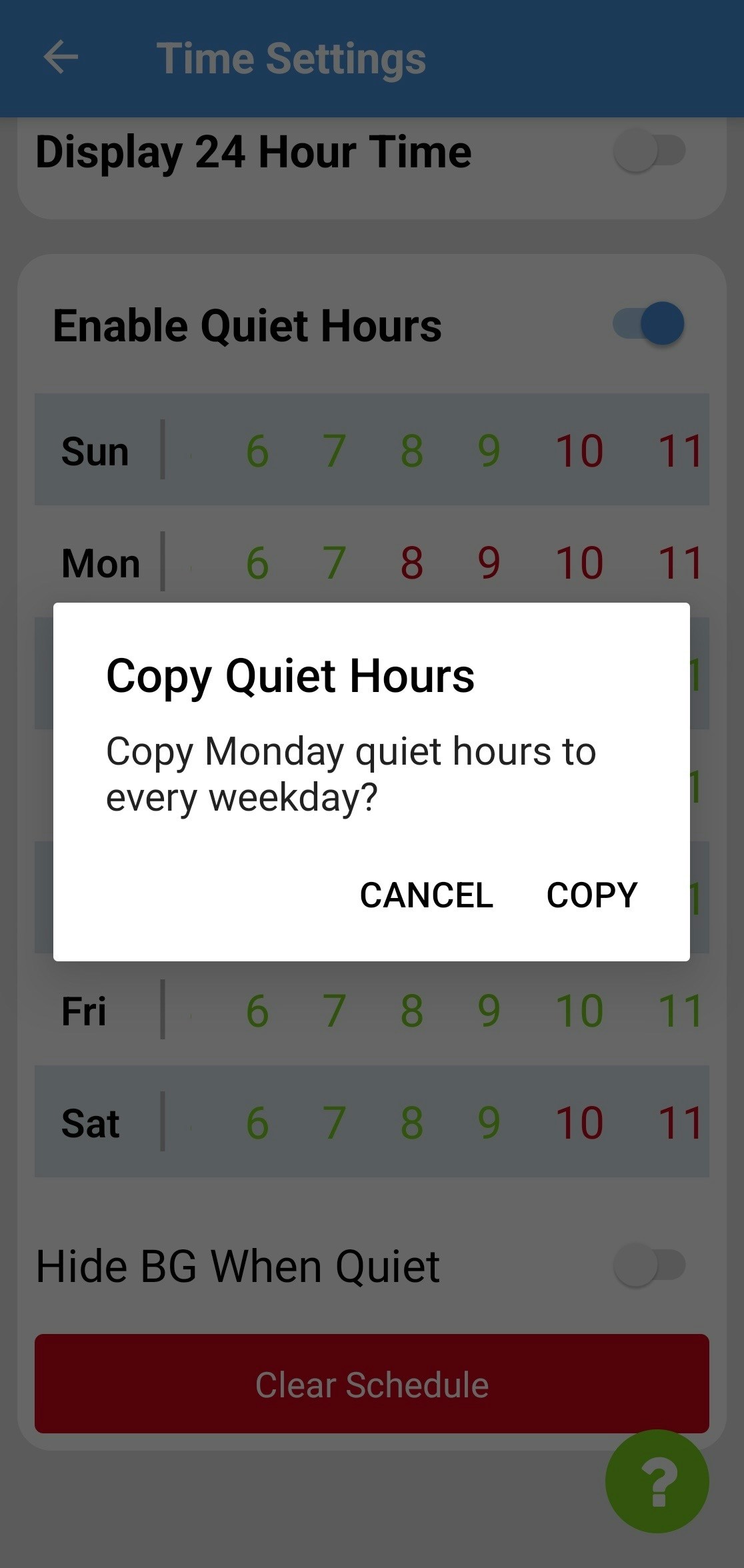
* Tap **Sun** to copy Sunday’s schedule to Saturday
* Tap **Mon** to copy Monday’s schedule to all weekdays
* You can adjust individual days after copying
**Copy / Paste Days**
* Tap **Sun** to copy Sunday’s schedule to Saturday
* Tap **Mon** to copy Monday’s schedule to all weekdays
* You can adjust individual days after copying
 Use **Clear Schedule** to reset all quiet hours.
## **Hide BG During Quiet Hours**
When enabled, SugarPixel will **hide glucose values** during quiet hours and display **only the clock**.
This is useful in shared or public environments, such as:
* Classrooms
* Offices
* Common areas
Use **Clear Schedule** to reset all quiet hours.
## **Hide BG During Quiet Hours**
When enabled, SugarPixel will **hide glucose values** during quiet hours and display **only the clock**.
This is useful in shared or public environments, such as:
* Classrooms
* Offices
* Common areas